
The latest update to the handy SystemRescue is here with a new kernel.
There's also a new GParted Live, and some other handy utilities.
Another year, another new version of the very handy SystemRescue .
Earlier this week, version 13.0 appeared , with better support for HiDPI screens, and more.
SystemRescue 13 uses Linux kernel 6.18 from early December last year, which within days was made the latest LTS kernel .
This time last year, we looked at SystemRescue 12 , which had kernel 6.12 – its first version with the new bcachefs filesystem built in.
(Bcachefs first debuted with kernel 6.7 and was ejected again 10 versions later .)
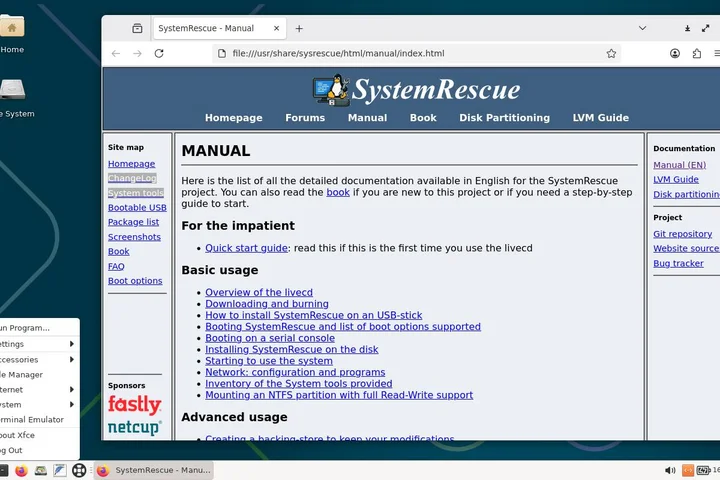
SystemRescue 13 has a bunch of handy tools – and a full manual built right in
SystemRescue is avoiding the drama as best it can.
Although bcachefs is no longer being developed inside the kernel, it is still in active development – albeit with an LLM coding assistant .
The radical new filesystem is now available as a kernel module, which can be built and loaded with DKMS, and the SystemRescue change log says:
Updated bcachefs tools and kernel module to version 1.37.3
This version also has GParted version 1.8.1 , which was released earlier this March, and tweaked font handling, which should improve its readability on HiDPI screens.
A new addition is FATSort , which can sort the filenames on all variants of the FAT filesystem.
Back in the 1980s, this vulture used a tool called Norton Directory Sort to do this.
Then we got MS-DOS 5, which you could set the DIRCMD environment variable, which made the DIR command sort its output.
(We used SET DIRCMD=/OEN back then.) Now there's no need.
FATSort can do it for you, even on FAT32 with long filenames!
SystemRescue has other tricks up its sleeve, but GParted is one of its more useful tools.
If that's all you need, it has its own bootable live medium, and there's also a new version of that.
GParted Live 1.8.1 appeared about a week before SystemRescue 13, and it has kernel 6.19.
It doesn't do as much, but then again, it is half the size: SystemRescue 13 is about 1.3 GB, while GParted Live is under 650 MB – it's CD-sized.
The latest GParted Live is smaller and has an even newer kernel than SystemRescue
For hardcore Linux sysadmins who scorn point-and-click and want proper command-line tools, there's also Grml .
The latest Grml 2025.12 appeared at the end of last year, so it's not quite so current.
According to the project's FAQ , "grml" is a word.
Apparently, it's pronounced "greml" and it is something akin to "aargh" or "grrr" in English.
Grml is nowhere near as pretty, but you do get Fluxbox if you need it
We are not that hardcore, to be honest, but we are intrigued by a possibility the Arch Wiki describes: keeping a copy of Grml in the ESP .
The small edition of Grml is a half-gigabyte download and if you have a large UEFI System Partition, you can keep the Grml squashfs directly in your ESP and boot it from there, without any removable media, root partition, or anything else.
It puts us in mind of the OneFileLinux project but using an off-the-shelf emergency recovery toolkit, which is inspired.
We have not tried this yet, but it sounds potentially very useful in an emergency.
®
Related Stories



Source: This article was originally published by The Register
Read Full Original Article →
Comments (0)
No comments yet. Be the first to comment!
Leave a Comment