
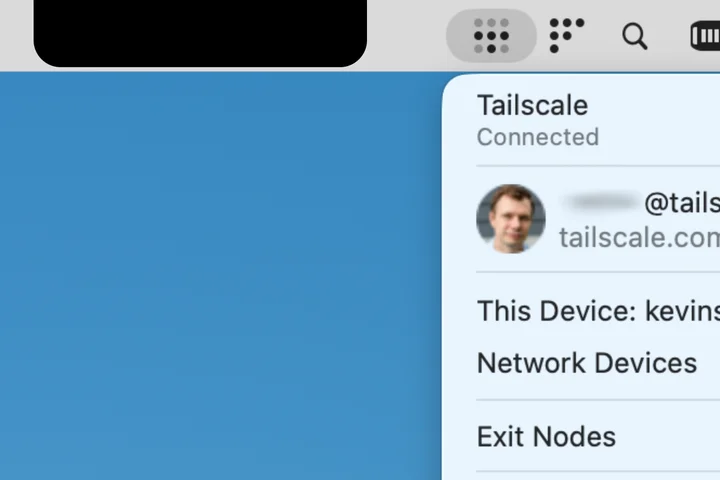
Tailscale should feel nearly invisible when it's connecting you and all your devices together.
But on some MacBooks, for a time, it could be a little too invisible.
We have two fixes for it: one small and slightly quirky, and another really useful one, available now on macOS.
The small, quirky fix might soon become a thing of the past for the vast majority of Tailscale users on Macs.
I wanted to document it here: to help other developers, to mark this moment in time, and quietly crow about our windowed macOS interface now being generally available .
So here's the issue we had with Tailscale's icon slipping into darkness, its little work-around, and then our greater solution.
Given this there-or-not-there behavior, Tailscale developers received a number of bug reports from users when, after the notched MacBooks' debut, their Tailscale icons fell into the middle-screen distance.
"They were like, 'Actually, I can't find my Tailscale.
It's gone.
It didn't start," the engineer said.
"We're like, 'No, it's there, it's just hiding behind the notch.' But we kind of got sick of that."
I am hidden but I can still speak
And while it cannot move, it can speak.
Specifically, a pop-up message can say:
This affable warning is not perfect, by any means.
The notch warning can be inadvertently triggered by other display quirks, like opening and closing the MacBook lid, moving between monitors, or some combination of the two.
But it helped triage the "Where are my Tailscale settings?" issue for a while.
The notch, and how we got around it
In the meantime, here’s a look at the Swift code that let our app know it should chirp a bit when hidden.
It should be unnecessary with the new windowed app—unless you enable the “Hide Dock icon” option in the windowed client options, in which case it might still call out its hidden nature.
An actual fix: A whole new macOS interface
The windowed interface, enabled by default starting with version 1.96.2 of our macOS client, offers:
Let us know what you think of the new interface so we can make it better.
We’re working on a comparable UI for Windows devices.
And we’re always looking for ways to bring a little bit of functional whimsy to our software.
Related Stories



Source: This article was originally published by Hacker News
Read Full Original Article →
Comments (0)
No comments yet. Be the first to comment!
Leave a Comment